LevelUp Casino App in Australia: Official APK, iPhone Web App or Browser Only? A Full Mobile Check
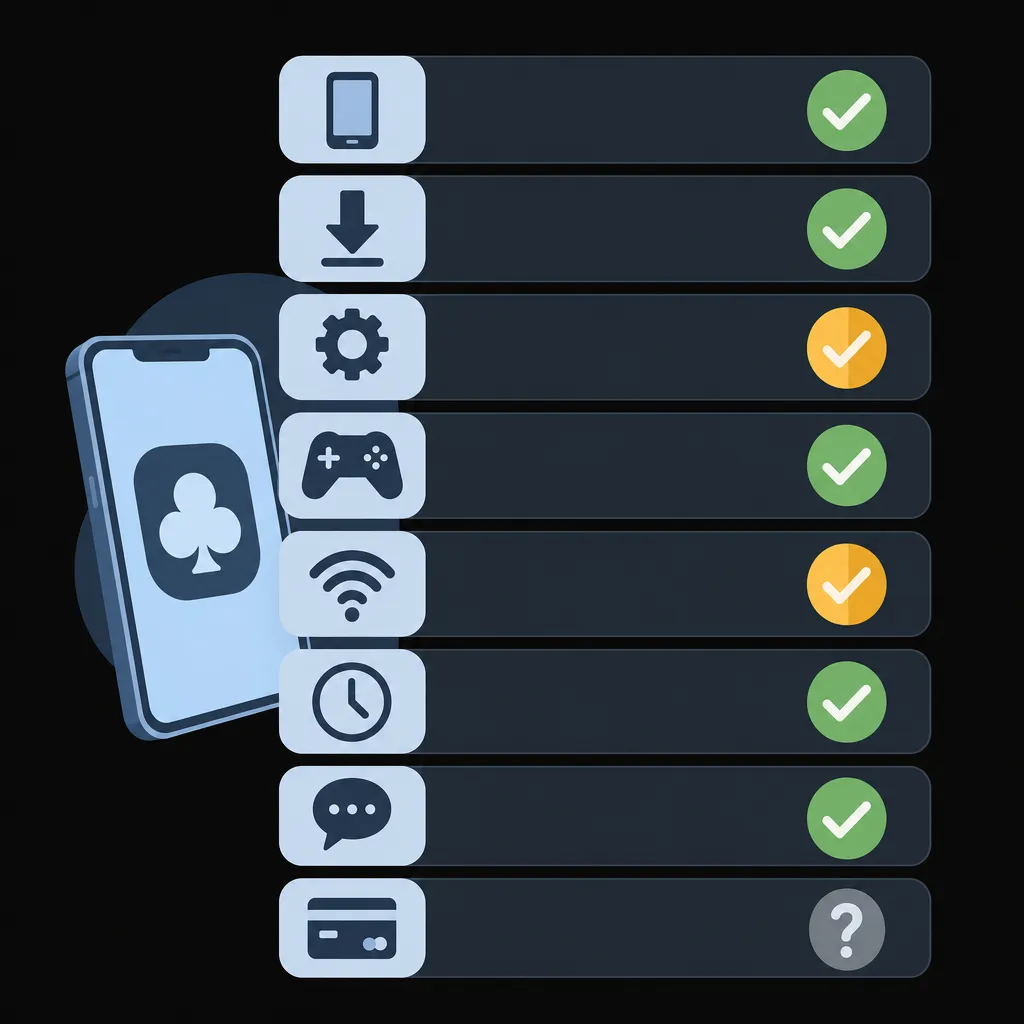
Reviews of LevelUp Casino make several specific mobile claims. They say there is a browser-based progressive web app (PWA) for iPhone and Android, and an Android APK “under 20 MB” downloaded from the casino’s own website. They give minimum system requirements of Android 7.0 and iOS 12, and describe around 3,000 mobile-optimised games. They also report withdrawals in “up to 3 hours”, live chat replies in under a minute, and under 50 MB of data per hour of live roulette. This guide checks each claim against independent reviews, operator-related terms, Google Play’s real-money gambling policy and Australian help-service information. Where a claim could not be confirmed, the guide says so plainly. Hollywin Casino and SlotMafia are compared on the same factors further down.
Can you play LevelUp Casino on your phone? The short answer
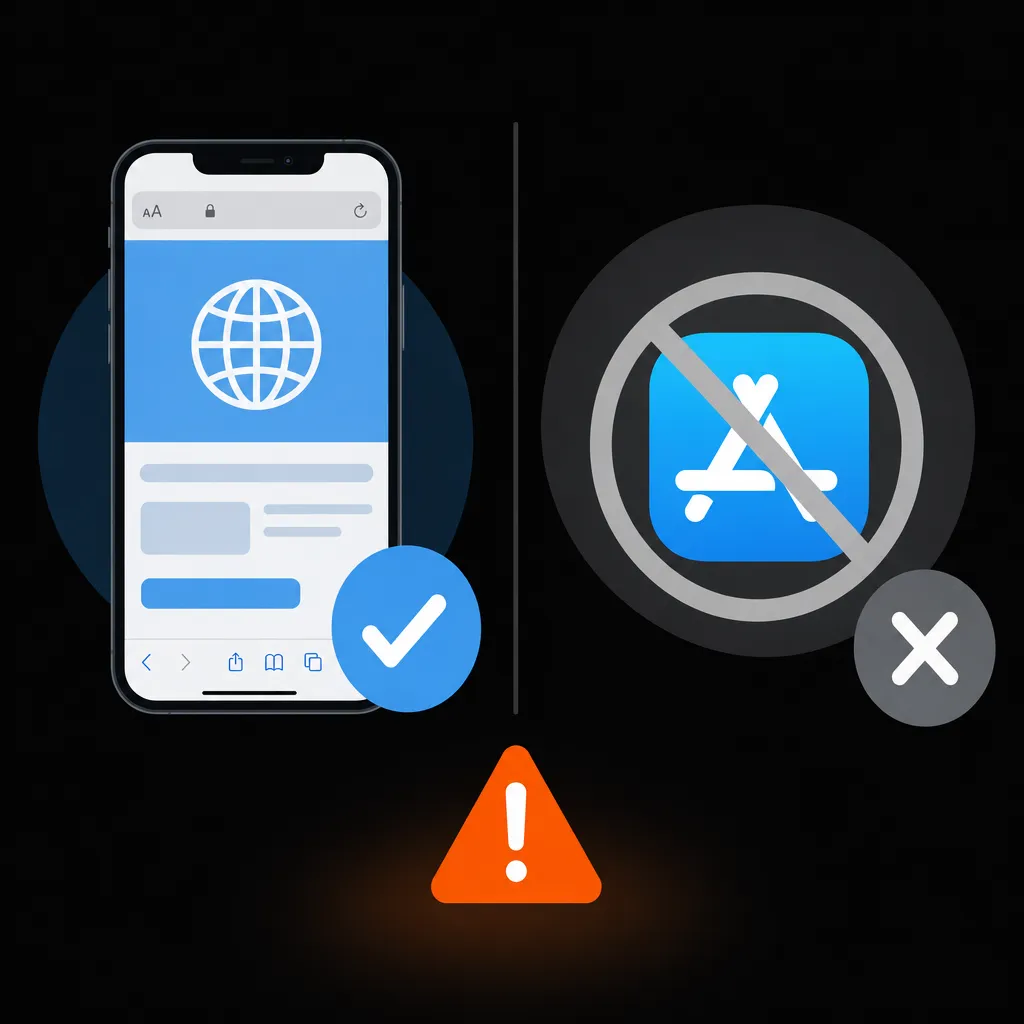
Yes, through the mobile browser. LevelUp runs as a browser-based PWA that can be added to the Home Screen on iPhone, iPad and Android. There is no native iPhone or iPad app. No official real-money LevelUp app turned up in Google Play either. Instead, independent reviews say Android users can sideload an APK from the casino’s own website.
- Confirmed: there is no native iOS app. Home Screen web-app installation works on iOS and Android. An Android APK is offered from the casino site. The official domain is levelupcasino.com, and support runs through live chat and email.
- Partly confirmed: the APK is under 20 MB. The Android 7.0+ / iOS 12+ requirements come from a third-party review, not an official specification. Withdrawals take from a few minutes after approval up to 3 hours according to independent reviews, which is not a guarantee.
- Not confirmed in the core check: whether accounts can be held in AUD, the minimum deposit and withdrawal, and support for PayID, POLi, BPAY, Apple Pay or Google Pay. Other reviews give $10 / €10 minimums, but these figures are not specific to AUD: Minimum Deposit Amount $10 … Minimum Withdrawal Amount $10 .
- Risks to weigh: licence details conflict between sources (OGL/2023/174/0082 versus master licence 8048/JAZ; Dama N.V. versus Novatrix SRL). LevelUp is offshore, so Australia’s BetStop register does not cover it. Only install anything from the official domain.
Mobile play here suits Australians who are comfortable using a browser instead of an app-store app, and who will check the AUD currency, minimums and payment methods in the cashier before depositing. It is a weaker fit for anyone who needs PayID, AUD banking or a store-reviewed app to be confirmed up front. The evidence for each factor is in the table below.
What the evidence shows about LevelUp on mobile
Tap “View the detailed analysis” under any factor to see each fact, its status and its source.
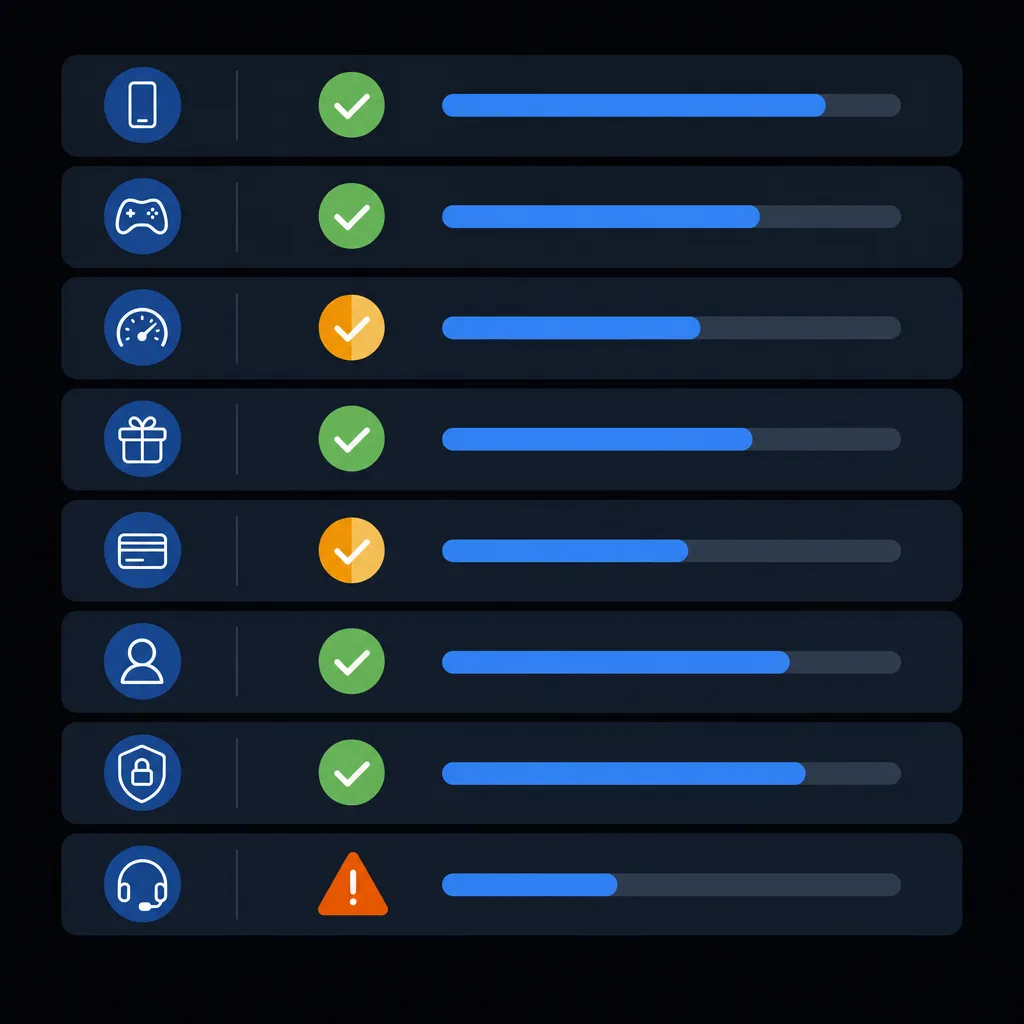
| Factor | What was claimed / expected | What is actually confirmed | Result |
|---|---|---|---|
| Mobile access, app, APK and installation Importance: Critical | Reviews describe a browser PWA for iOS and Android, plus an Android APK “under 20 MB” downloaded from the casino website. No App Store app is described. | ✅ Confirmed: no native iOS app; Home Screen PWA on iOS and Android; APK offered from the casino site; official domain levelupcasino.com. ⚠️ Partially confirmed: no official real-money app found in Google Play; APK under 20 MB; installation reported as free. ⚪ Not confirmed: APK version, APK permissions, Play Protect behaviour, operator-recognised mirror domains. | 45% confirmed |
View the detailed analysis of mobile access, app, APK and installationWhat was checked: whether LevelUp has a real-money app in Google Play or the App Store, whether an APK is offered from the operator’s domain, and whether the site installs as a web app. The check also covered cost, storage, updates, session behaviour, lookalike apps, devices without Google services, and official domains and mirrors. What was established:
What could not be confirmed:
What this means for the player: open levelupcasino.com in Safari or Chrome and add it to your Home Screen; that route is well documented. The APK exists, but its version and permissions are not publicly documented. Treat any “LevelUp” app found in a store or on another site as unverified. Conclusion on “Mobile access, app, APK and installation”: 45% confirmed. | |||
| Mobile game catalogue and feature completeness Importance: High | “More than 3,000 mobile-optimised titles” (CasinoGamesPro) and “around 3,000 games” (Gamblizard). Other sources give 2,100+ slots or 7,000+ games. | ✅ Confirmed: slots, table games and live dealer games, with live casino available on mobile. 🟠 Contradiction: game count of about 3,000 versus 2,100+ slots versus 7,000+, depending on how sources count. ⚠️ Partially confirmed: search and provider filters work on mobile. ⚪ Not confirmed: demo mode, RTP and bet-range parity with desktop, orientation, autoplay. | 26% confirmed |
View the detailed analysis of the mobile game catalogueWhat was checked: how many games work on a phone, which categories are available, HTML5 compatibility, providers, live casino and demo mode, navigation, tournaments, RTP and bet ranges, and mobile interface features. What was established:
What could not be confirmed:
What this means for the player: pokies, tables and live dealers all run on a phone. Treat any exact game count as approximate. Demo play and identical RTP are likely, but the sources do not document them for LevelUp’s mobile version. Conclusion on “Mobile game catalogue and feature completeness”: 26% confirmed. | |||
| Compatibility, performance and connection Importance: High | Android 7.0+ and iOS 12+; under 50 MB of mobile data per hour of live roulette. | ✅ Confirmed: works on Android, iPhone and iPad phones and tablets with a modern HTML5 browser. ⚠️ Partially confirmed: Android 7.0+ and iOS 12+ according to a third-party review; under 50 MB per hour of live roulette in one test. ⚪ Not confirmed: RAM, minimum connection speeds, slot data use, VPN policy. | 25% confirmed |
View the detailed analysis of compatibility and performanceWhat was checked: supported devices, minimum OS versions, browsers, hardware, connection speed, data use, background behaviour, VPN and geolocation rules, older devices and battery-saver modes. What was established:
What could not be confirmed:
What this means for the player: most phones from the last several years should work. As a budget guide, the one live-roulette test works out to under 500 MB for ten hours of play. Do not rely on a VPN. Its effect on verification is unknown. Conclusion on “Compatibility, performance and connection”: 25% confirmed. | |||
| Bonuses and promotions on mobile Importance: High | Reviews describe the welcome package, reloads, cashback and free spins as available on mobile, with no device exclusions mentioned. | ⚠️ Partially confirmed: no device-based bonus restrictions found; the welcome package and free spins can be used on mobile. ⚪ Not confirmed: mobile-only promotions, where to enter promo codes, how bonus status is shown, push and SMS settings. | 18% confirmed |
View the detailed analysis of mobile bonusesWhat was checked: device restrictions in the bonus terms, whether the welcome package and free spins can be claimed from a phone, mobile-only offers, promo-code entry, bonus status display, gamified promotions, and marketing notifications. What was established:
What could not be confirmed:
What this means for the player: bonuses are tied to the account rather than the device, and nothing found suggests a phone gets worse terms. Read the wagering and expiry rules in the promotion’s own terms before you opt in. Conclusion on “Bonuses and promotions on mobile”: 18% confirmed. | |||
| Mobile payments, withdrawals and KYC Importance: Critical | Cards, e-wallets and crypto; withdrawals “up to 3 hours” (Gamblizard) or “within minutes once approved” (CasinoGamesPro); most transactions fee-free. AUD support, minimums and PayID are not stated in the core sources. | ⚠️ Partially confirmed: cards, e-wallets and crypto; withdrawals from minutes to 3 hours after approval; mostly no casino fees. ⚪ Not confirmed: AUD accounts, minimum deposit and withdrawal, PayID, POLi, BPAY, Apple Pay, Google Pay, withdrawal limits, KYC requirements and timing. ⚠️ Limitation: Interac in the methods list comes from a Canadian review; payment methods vary by country. | 9% confirmed |
View the detailed analysis of mobile payments, withdrawals and KYCWhat was checked: account currency, minimum amounts, methods in the mobile cashier (including PayID, POLi, BPAY, Apple Pay and Google Pay), processing times, limits, fees, currency conversion, the same-method withdrawal rule, wagering before withdrawal, 3-D Secure, and KYC. What was established:
What could not be confirmed:
What this means for the player: this is the weakest-documented critical area. Before depositing, open the cashier on levelupcasino.com and check that AUD is offered and which methods appear, along with their minimums and limits. Do not rely on figures from lookalike “LevelUp Australia” sites. Conclusion on “Mobile payments, withdrawals and KYC”: 9% confirmed. | |||
| Registration, login and mobile session management Importance: High | Registration “only takes a minute or so” (Wizard of Odds). Mobile login methods are not stated. | ⚪ Not confirmed: whether the mobile form matches desktop (probably the same web form); native biometric login; simultaneous sessions; the one-account rule; automatic logout. | 0% confirmed |
View the detailed analysis of registration and mobile loginWhat was checked: whether the mobile form matches desktop and which fields it has, how accounts are confirmed, biometric and autofill login, simultaneous sessions, the one-account rule, password reset, and automatic and manual logout. What was established: none of these parameters reached confirmed status.
What this means for the player: expect a standard web sign-up. Read the account rules in LevelUp’s own terms, especially on duplicate accounts, because they were not documented. Conclusion on “Registration, login and mobile session management”: 0% confirmed. | |||
| Licence, security and responsible gambling Importance: Critical | Curaçao licence OGL/2023/174/0082; operator Dama N.V. or Novatrix SRL; five responsible-gambling tools. | 🟠 Contradiction: regulator (Curaçao Gaming Authority versus Antillephone N.V.), licence number (OGL/2023/174/0082 versus 8048/JAZ) and holder (Dama N.V. versus Novatrix SRL). ⚠️ Partially confirmed: HTTPS with 256-bit SSL; deposit, loss and wager limits, cool-off and self-exclusion. ⚪ Not confirmed: a minimum age of 18+ stated directly by LevelUp; where the responsible-gambling tools are in the mobile menu; when limits take effect. | 25% confirmed |
View the detailed analysis of licence, security and responsible gamblingWhat was checked: regulator, licence number and holder; encryption; how payment data is stored; responsible-gambling tools on mobile, where to find them and when they take effect; self-exclusion and account closure; minimum age. What was established:
What could not be confirmed:
What this means for the player: LevelUp is an offshore Curaçao operator whose licence details are inconsistent across sources. Check the footer licence on levelupcasino.com yourself. Set deposit limits before you play, and ask live chat when a limit change takes effect. Conclusion on “Licence, security and responsible gambling”: 25% confirmed. | |||
| Support and mobile troubleshooting Importance: Medium | 24/7 live chat with replies under a minute; email [email protected] answered within 24 hours. | ✅ Confirmed: live chat and email can be used from mobile. ⚠️ Partially confirmed: live chat 24/7, typically answering in under 1 minute; email within about 24 hours. ⚪ Not confirmed: game history on mobile, the policy for disconnected rounds, and the dispute procedure and timing. | 28% confirmed |
View the detailed analysis of support and mobile troubleshootingWhat was checked: support channels, hours, response time, languages, coverage of Australian time zones, game history, rules for disconnected rounds, and disputed transactions. What was established:
What could not be confirmed:
What this means for the player: help is quick to reach from a phone. If a spin or deposit goes wrong, take screenshots straight away, because LevelUp’s dispute process is not publicly documented. Conclusion on “Support and mobile troubleshooting”: 28% confirmed. | |||
Across the critical factors, 26% of the checkable data is confirmed. This shows how much of the data could be confirmed. It is not a rating of the casino.

LevelUp mobile at a glance
LevelUp Casino is also searched for as “Level Up Casino”. The only confirmed official domain is levelupcasino.com, so any installation should start there. This page covers iPhone, iPad, Android phones and Android tablets.
| Item | LevelUp on mobile | Status |
|---|---|---|
| Native app in Google Play / App Store | No official real-money app found in Google Play; no iOS app | Partially confirmed (Android) / Confirmed (iOS) |
| Web app (Home Screen shortcut) | PWA on iOS and Android | Confirmed |
| Android APK | Offered from the casino website; under 20 MB | Confirmed (availability) / Partially confirmed (size) |
| Minimum OS | Android 7.0+, iOS 12+ | Partially confirmed (third-party review) |
| Games on mobile | About 3,000 (sources vary: 2,100+ slots up to 7,000+) | Conflicting |
| AUD and minimum deposit | Not established in the core check; other reviews give $10 / €10 | Not confirmed |
| Support | 24/7 live chat + email | Confirmed (channels) / Partially confirmed (24/7) |
| Age | 18+ reported by third-party reviews | Not confirmed directly |
Getting started in three steps:
- Open https://www.levelupcasino.com/ in Safari, Chrome or another modern mobile browser.
- Log in, or create an account. Check in the cashier which currency and payment methods are offered to you before depositing; adults only.
- Add the site to your Home Screen so it opens like an app (step-by-step guide below).
LevelUp Casino app download: what you actually get
Why there is no LevelUp app in Google Play or the App Store
Google Play only allows real-money gambling apps in supported countries. The app must be approved and the developer must hold the required local licence. The app must also be free, block minors and unauthorised locations, avoid Play Billing, and show responsible-gambling information (Google Play’s real-money gambling policy). Apple’s App Store is generally understood to impose similar rules: local permissions, distribution only where gambling is authorised, geo-restriction, and no in-app purchases for gambling credit. Apple’s policy text was not directly reviewed here. An offshore Curaçao-licensed operator does not hold the Australian licence these rules expect.
In Australia, the Interactive Gambling Act 2001 mainly restricts operators from offering certain online gambling services to Australians. Public descriptions of the Act do not treat a player using an offshore service as a criminal offence by the player. The ACMA investigates illegal offshore gambling services and can ask internet providers to block their domains. Both points are general regulatory context rather than findings from an official ACMA document reviewed here. In practice, searches for “LevelUp casino app download free” lead either to the official mobile site or to third-party APK sites and lookalike domains. Only the official domain is a confirmed source.
The Android APK: where it comes from and how sideloading works
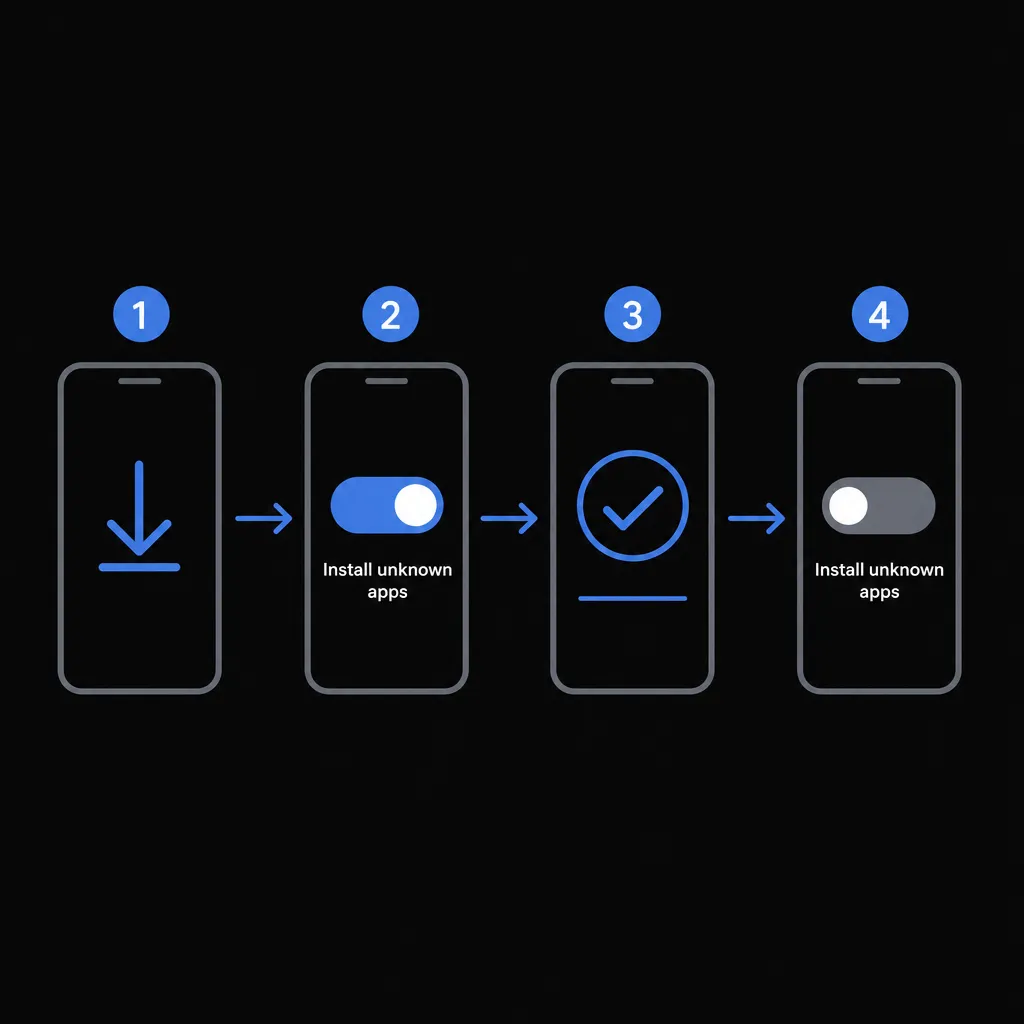
Independent reviews say Android users can download the LevelUp APK directly from the casino’s website. The file’s version number and the permissions it requests are not publicly documented. If you choose the APK, download it only from levelupcasino.com. Treat any “LevelUp APK” from another site as untrusted. Android makes you allow installs from that specific browser or file manager, warns about the risk, and Play Protect may scan the file.
- Download the file in Chrome from the official domain only. Chrome may warn that the file type can harm your device.
- Open Settings → Apps → [your browser] → Install unknown apps and allow it. Menu names vary between Android brands.
- Open the downloaded file and confirm the installation. Read every permission request before accepting.
- Go back to Install unknown apps and switch it off again, so the browser cannot silently install other files later.
Permissions and fake-APK checklist
The permissions requested by LevelUp’s own APK are not documented. The table below is general Android security guidance for any casino APK, not a description of LevelUp’s file.
| Usually reasonable for a casino app | Red flag: decline and uninstall |
|---|---|
| Notifications | Read or send SMS |
| Storage / media (for document uploads) | Contacts and call log |
| Camera (only when you upload ID) | Accessibility service access |
| Network access | Device administrator rights |
- ☐ The domain is not exactly levelupcasino.com.
- ☐ There is no padlock or HTTPS in the address bar.
- ☐ You are asked to switch off Play Protect or your antivirus.
- ☐ You are asked to pay to “activate” the app.
- ☐ You are asked for an SMS code outside the cashier’s bank confirmation.
- ☐ It is labelled “mod”, “hack” or “unlimited spins”.
If you already installed an APK from an unknown source: uninstall it, run a Play Protect or antivirus scan, then change your casino and email passwords. Neither the mobile site, the Home Screen shortcut nor the APK costs money to install. Sources report no fee and no hidden subscriptions found, although the operator has not stated this directly.
The only safe source for any LevelUp installation is the official domain, levelupcasino.com. No operator-recognised mirror list was found. If the main site will not open, get the address from live chat or from an email sent by the casino, not from ads, social media or SMS links.
Bonuses when playing on mobile
Bonuses are tied to your account, not your device. No device-based restrictions were found in the reviewed material, and the welcome package and free spins are reported as usable from a phone. Both points are partially confirmed, because the full bonus terms were not quoted. No mobile-only promotions were found. Wagering and the full promotion rules belong in the bonus terms themselves.
Where the promo-code field sits and how bonus progress appears on mobile were not documented. Look in the sign-up form, the cashier and the account menu. When typing a code on a small screen, avoid these common mistakes:
- Autocorrect changing letters or digits.
- Auto-capitalisation of the first character.
- A trailing space when pasting.
- Wrong letter case if the code is case-sensitive.
To limit promotional prompts, switch off notifications for your browser or the installed app in your phone’s settings, and use the unsubscribe link in casino emails.
How to add LevelUp Casino to your phone’s Home Screen
iPhone and iPad (Safari)
- Open https://www.levelupcasino.com/ in Safari.
- Tap Share (the square with an arrow).
- Choose Add to Home Screen.
- Rename the shortcut if you wish, then tap Add.
The option may be missing in Private Browsing. Chrome on iOS offers a similar Share-menu route, but it may behave differently. On iPad, you can also drag the icon into the Dock.
Android (Chrome or Samsung Internet)
- Chrome: open the official site and tap ⋮.
- Tap Install app if it appears, otherwise Add to Home screen. Whether Chrome offers an install prompt for LevelUp is not confirmed.
- Confirm. In Samsung Internet, use the menu, then Add page to → Home screen.
On devices without Google services, such as some Huawei phones, the PWA probably works in a modern browser, but this was not tested. Play Protect checks are not available on these devices.
PWA vs APK: which to choose

| Aspect | Web app (PWA / shortcut) | Android APK |
|---|---|---|
| Size | Browser cache; exact size not established | Under 20 MB (partially confirmed) |
| Updates | Server-side, no store update needed (partially confirmed) | Update mechanism not documented |
| System permissions | Only what the browser grants | Not documented; review them at install |
| Risk of a fake build | Low if the domain is exact | Higher: the file is sideloaded |
| Platforms | iOS and Android | Android only |
| Account, balance, history | Same account on the server | Same account on the server |
Either way you use the same account, not a separate mobile copy. The mobile cashier is described as matching desktop.
Updating, removing and reinstalling
- Getting the latest version: pull down to reload, or clear the site’s cache if the layout looks outdated.
- Removing the shortcut: on iOS, long-press the icon and choose Remove App, then Delete from Home Screen. On Android, long-press and choose Remove or Uninstall.
- Reinstalling after a glitch: delete the shortcut, clear the browser cache, then add it again. Deleting a shortcut should not affect your server-side balance or history; this is a technical inference, not a test.
- Removing the icon does not close your account. Use self-exclusion or ask support to close the account (see the safety section below).
Depositing and withdrawing from your phone
Confirmed methods are cards, fiat e-wallets and crypto (Bitcoin, Ethereum, Litecoin, Dogecoin, USDT). Interac and MiFinity are also mentioned, but Interac comes from a Canadian review. Whether AUD accounts, PayID, POLi, BPAY, Apple Pay or Google Pay are offered was not confirmed. If no wallet payment appears in the cashier, you can still pay from your phone by card or another listed method.

| Method | Min. deposit | Min. withdrawal | Speed | On mobile |
|---|---|---|---|---|
| Crypto (BTC, ETH, LTC, DOGE, USDT) | Not established | Not established | Withdrawals: minutes after approval up to 3 hours (independent reviews) | Yes (cashier described as matching desktop) |
| Cards | Not established | Not established | Not established per method | Yes |
| E-wallets (e.g. MiFinity) | Not established | Not established | Not established per method | Yes |
| PayID / POLi / BPAY | Availability not confirmed; claims appear only on unverified lookalike sites | Not confirmed | ||
| Apple Pay / Google Pay | Availability not confirmed | Not confirmed | ||
Additional information found (not included in the scoring and not AUD-specific): AskGamblers lists $10 minimum deposits and withdrawals, with EUR/USD 3,000 per day, EUR/USD 7,500 per week, EUR/USD 15,000 per month . SlotsUp reports that total deposits must be wagered at least 3 times before a withdrawal request, and a $16 bank transfer fee. Most transactions are described as free of casino fees, though crypto network fees can apply.
- Open the cashier, choose a method and enter the amount. Enter a promo code only where the cashier offers a field for it.
- If your bank asks for confirmation, approve it in your banking app, then return to the browser tab.
- If the session seems lost, do not pay again. Check the transaction status in your account and with your bank first, then contact live chat.
- To withdraw, open the cashier’s withdrawal tab, pick a method and submit. Finish any bonus wagering first. Whether withdrawals must use the deposit method was not confirmed.
KYC requirements, file formats and verification times were not documented in the core check. If you upload ID with your phone camera, make sure all four corners are visible and there is no glare. Avoid public Wi-Fi for payments, and do not save card details on a shared phone. Deposit limits are among the confirmed responsible-gambling tools.
LevelUp games on mobile
Sources report about 3,000 mobile-ready games, while other counts give 2,100+ slots or 7,000+ titles in total. The catalogue is mainly HTML5, with no significant broken titles reported. The following categories are confirmed on mobile:
- Pokies and other slots
- Table games
- Live dealer games, including live roulette
Named providers include Yggdrasil, Quickspin, Elk Studios and Playson, and one source counts 70+ studios. Search, game filters and provider filters work on mobile. Free-to-play demo mode is listed by AskGamblers, but it was not confirmed for mobile in the core check. If a specific game shows a black screen, see the troubleshooting steps below.
Mobile vs desktop: what changes
| Parameter | Mobile | Desktop comparison |
|---|---|---|
| Game catalogue and categories | Slots, tables, live casino | No desktop-only sections found; full parity not measured |
| Live casino | Available on the site and the APK | Same live lobby; table list not documented |
| Cashier and payment methods | Described as matching desktop | No desktop-only methods found |
| Bonuses | Welcome package and free spins usable | No device restrictions found |
| Responsible-gambling tools | Five tools exist at account level | Mobile menu paths not documented |
| Search and filters | Search, game and provider filters | Favourites and recently played not established |
| RTP and bet ranges | Probably identical | Not directly documented |
| Several games at once, demo | Not confirmed for mobile | |
The practical differences are a smaller screen and reliance on the mobile connection. Short sessions on the go suit a phone. Long sessions with heavy graphics, such as Megaways or bonus-buy pokies, are more comfortable on a larger screen.
Mobile UX tips
Portrait and landscape support, as well as autoplay and turbo spin on touch screens, are not documented for LevelUp. If a game looks cramped, unlock screen rotation and try landscape. Mute the sound in public places.
Compatibility, performance and data use
| Requirement | Value | Status |
|---|---|---|
| Minimum iOS / iPadOS | iOS 12+; no separate iPadOS minimum | Partially confirmed |
| Minimum Android | Android 7.0+ | Partially confirmed |
| RAM and cache space | Not published (the APK is under 20 MB) | Not confirmed |
| Browsers | Modern HTML5 browsers; at least Chrome/Chromium (Android) and Safari (iOS) | Partially confirmed |
| Cookies and JavaScript | Required for full functionality | Partially confirmed |
| Live-stream data | Under 50 MB per hour of live roulette (one test) | Partially confirmed |
If the site or a game lags:
- Close other tabs and background apps.
- Clear the browser cache.
- Lower the live-video quality if the table offers that option.
- Switch to Wi-Fi.
- Turn off Data Saver or lite mode in the browser.
How LevelUp handles calls, screen lock or the browser going into the background is not documented, so finish a live hand before switching apps. A VPN is not needed. LevelUp’s VPN policy is unknown, and a mismatch between your location and your account details could complicate verification. If the site will not load because of an ISP block, see the troubleshooting section below.
Signing up and logging in from a phone
Registration is described as taking about a minute and probably uses the same web form as desktop. The fields, the email or SMS confirmation step, native Face ID or fingerprint login, simultaneous sessions and the one-account rule were not confirmed. Your browser’s password manager can fill in saved login details. On a shared or work device, log out manually and do not save the password.
Safety, legality and responsible gambling on mobile
LevelUp operates under Curaçao licensing, but sources disagree on the details: OGL/2023/174/0082 versus master licence 8048/JAZ, and Dama N.V. versus Novatrix SRL. The mobile and desktop versions run on the same domain and the same account. HTTPS with 256-bit SSL is stated. The ACMA can have offshore gambling domains blocked, which is why the site may not load on some Australian networks.
- ☐ There is a padlock in the address bar.
- ☐ The spelling is exactly levelupcasino.com, with no extra hyphens or numbers.
- ☐ You did not arrive from an SMS, a social-media ad or an in-game ad.
- ☐ The site does not promise an iOS App Store app. Some lookalike sites list an iOS App + Android APK + mobile browser , which contradicts the confirmed absence of an iOS app.
| Tool | Available | Mobile path and when it takes effect |
|---|---|---|
| Deposit limit | Yes | Not documented; ask live chat before you rely on a change |
| Loss limit | Yes | |
| Wager limit | Yes | |
| Cool-off | Yes | |
| Self-exclusion | Yes |
Having a phone makes gambling available around the clock. To keep it in check, switch off casino notifications, set a Screen Time or Digital Wellbeing limit on your browser, and remove saved cards. BetStop applies to licensed Australian wagering providers and does not cover offshore casinos such as LevelUp. Self-exclusion here has to be requested through LevelUp’s own tools or support.
Need help now? National Gambling Helpline / Gambling Help Online: 1800 858 858, free and confidential, 24/7. Lifeline: 13 11 14. MensLine: 1300 78 99 78. Gambler’s Help Youthline: 1800 262 376. Kids Helpline: 1800 55 1800.
Troubleshooting and support from your phone
- Reload the page.
- Check your connection, or switch between Wi-Fi and mobile data.
- Turn off any VPN, Data Saver or ad blocker.
- Clear the cache and cookies (you will be logged out).
- Try another browser.
Safari: Settings → Safari (on newer iOS: Settings → Apps → Safari) → Clear History and Website Data. Chrome on Android: ⋮ → History → Delete browsing data (labelled “Clear browsing data” on some versions).
If the site will not open at all, it may be blocked at the provider level. Get any alternative address from live chat or a casino email only. No official mirror list was found. If a Home Screen shortcut opens as a normal tab, private browsing or an unsupported browser is the usual cause. For a deposit that has not appeared or a bonus that was not credited, check the transaction status, your limits and the exact promo code before contacting support. How LevelUp settles a round after a disconnection, and whether game history is available on mobile, is not documented.
Support is available through live chat and [email protected]. Chat runs 24/7 and typically answers in under a minute; email replies take up to about 24 hours. Include the following in your request:
- A screenshot of the error or result
- The time in AEST/AEDT
- The transaction or game round ID
- Your phone model, OS version and browser
Pros and cons of LevelUp on mobile
| Pros | Cons |
|---|---|
| Browser and PWA play on iOS and Android, no store needed | No official real-money app in Google Play or the App Store |
| APK under 20 MB for Android (partially confirmed) | APK version and permissions undocumented; sideloading required |
| Live casino works on mobile | AUD, minimums and PayID not confirmed |
| Under 50 MB per hour of live roulette in one test | Licence number and operator conflict between sources |
| 24/7 live chat and email | Not covered by BetStop; domains can be blocked by ISPs |
| Withdrawals in minutes to 3 hours after approval (reviews) | Demo mode and RTP parity on mobile not confirmed in the core check |
FAQ
Is there a LevelUp Casino app for Android?
There is no official real-money app in Google Play, but reviews say an Android APK can be downloaded directly from levelupcasino.com. The PWA is the alternative.
Is there a LevelUp Casino app for iPhone or iPad?
No. iPhone and iPad users play in the browser and can add the site to the Home Screen as a web app.
Is the LevelUp Casino app download free?
Yes, according to available sources. No fee or hidden subscription was found for the site, the PWA or the APK; only real-money play requires a deposit.
Do I need to download anything to play LevelUp pokies on mobile?
No. The games run in a modern HTML5 browser. The Home Screen shortcut and the Android APK are optional.
Is it safe to install a LevelUp Casino APK from another website?
No. Only levelupcasino.com is a confirmed source. Treat APKs from other sites, including lookalike “LevelUp Australia” domains, as potentially fake.
Is LevelUp Casino mobile safe and legal for Australian players?
It is an offshore Curaçao-licensed site with conflicting licence details. The Interactive Gambling Act mainly targets operators, not players. Still, the ACMA can block such domains and BetStop does not cover them.
Can I claim the welcome bonus and free spins on mobile?
Reviews indicate yes, and no device restrictions were found. This is partially confirmed, because the full bonus terms were not quoted.
Can I deposit and withdraw in AUD from my phone?
That could not be confirmed. Deposits and withdrawals by card, e-wallet and crypto work on mobile, but AUD accounts and PayID were not confirmed in the core check. Check the cashier before you deposit.
Why won’t LevelUp Casino load on my phone?
Common causes are an ISP block, Data Saver or an ad blocker, a stale cache, or an old OS. Android 7.0+ or iOS 12+ is reported as the minimum.
Can I play LevelUp pokies in demo mode on mobile?
That was not confirmed for mobile. AskGamblers lists free-to-play demo mode on games, but not whether it works on mobile or without registering.
Alternatives: Hollywin Casino and SlotMafia on mobile
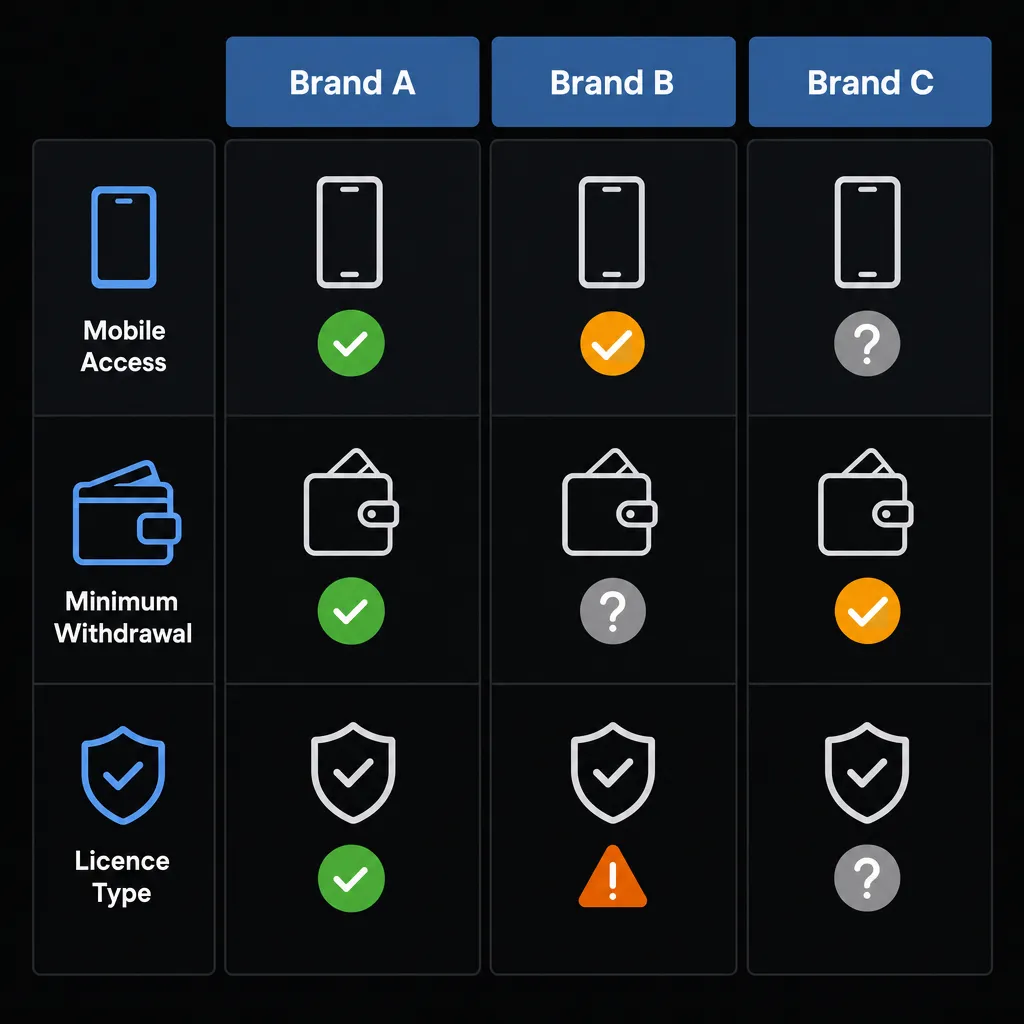
| Factor | LevelUp Casino | Hollywin Casino | SlotMafia | What’s better on this parameter |
|---|---|---|---|---|
| Mobile access, app and installation | PWA on iOS and Android, confirmed; no iOS app, confirmed; APK from the casino site, confirmed (under 20 MB, partially confirmed) | Official domain hollywin.com, confirmed. Not established in the core check; reviewers report a PWA that can be installed from the browser and dedicated iOS and Android apps (store listing status unknown) | Domain slotmafia.com, partially confirmed. Not established in the core check; a review says there’s no mobile app, but the site is optimised for mobile devices | Going by reviewers, Hollywin claims the most install options, but that is unverified. LevelUp’s PWA and APK are better documented. SlotMafia is reported as browser-only. |
| Mobile catalogue and features | About 3,000 mobile games, conflicting (2,100+ slots up to 7,000+); slots, tables and live, confirmed | Not established in the core check; one review lists Games: 15,000+ and reports the full collection accessible on smartphones | Not established in the core check; one review says it offers 10000 games | Counting methods differ and the competitor figures are unverified, so catalogue size cannot be compared reliably. |
| Compatibility and performance | Android 7.0+ / iOS 12+, partially confirmed; under 50 MB per hour live roulette, partially confirmed | Not found | Not found | Only LevelUp has published OS and data figures; no comparison is possible. |
| Bonuses on mobile | No device restrictions found; welcome package and free spins usable on mobile, partially confirmed | Welcome package with up to 350 free spins stated; availability on mobile not confirmed | Not established in the core check; reviews report a minimum deposit at Slot Mafia Casino is €20 for bonuses and 50x wagering (non-AU markets) | Bonus terms are not comparable here: different markets and currencies, and mobile use is confirmed only for LevelUp. |
| Payments, withdrawals and KYC | AUD and minimums not confirmed (other reviews: $10 / €10); withdrawals minutes to 3 hours, partially confirmed | Min. deposit 20 EUR, confirmed; min. withdrawal 30 AUD, confirmed; processing 0–24 hours, confirmed; limits 30,000 NOK per week / 150,000 NOK per month, confirmed; card refunds up to the deposit amount, confirmed | Not established in the core check; reviews list a €20 minimum withdrawal and currencies including AUD: Supported Currencies | EUR, AUD, BRL, CAD, JPY, NOK, NZD, USD | Only Hollywin has a confirmed AUD threshold (A$30 withdrawal). LevelUp reports faster payouts (up to 3 hours versus 0–24 hours), but from reviews, not terms. |
| Registration and login | All parameters not confirmed; 18+ reported by third-party reviews | Not found | Not found | Not enough data to compare any brand. |
| Licence, security and RG | Curaçao; OGL/2023/174/0082 or 8048/JAZ; Dama N.V. or Novatrix SRL, conflicting; five RG tools, partially confirmed | Not established in the core check; reviews cite Stable Tech N.V. with Curaçao licence OGL/2024/161/0191 | Not established in the core check; conflicting reviews: Hollycorn N.V. with OGL/2023/176/0095 , or Stable Tech N.V. with OGL/2024/161/0191 | All three are offshore Curaçao operators outside BetStop. Hollywin’s reported licence data is the most consistent, but it is unverified. |
| Support and troubleshooting | Live chat + email, confirmed; 24/7 and under 1 minute, partially confirmed | Email, partially confirmed; live chat not confirmed in the core check (one review lists English | Yes | Yes | Yes 24/7 ) | 24/7 live chat + [email protected], partially confirmed | LevelUp and SlotMafia both have 24/7 chat on record. Only LevelUp has a measured under-1-minute reply time. |
Which option suits which player
If you want a known AUD cash-out threshold before signing up, Hollywin is the only brand here whose terms confirm a A$30 minimum withdrawal. Its processing window is 0–24 hours, and its app claims come from reviewers rather than a verified store listing.
If fast crypto withdrawals and a well-documented browser or APK route matter most, LevelUp fits better. Reviews report payouts within 3 hours, but AUD support, minimums and PayID still need checking in its cashier.
If you only need browser play with 24/7 chat, SlotMafia may work. Its licence holder and number conflict between reviews, and its payment figures come from non-Australian reviews, so the data is too thin to recommend it over the others with confidence. All three are offshore and outside BetStop.